★★★★★
"The chatbot answers all our questions and has saved us a lot of time."
Automate customer service with an AI chatbot. Follow up on conversations via dashboard or Telegram.



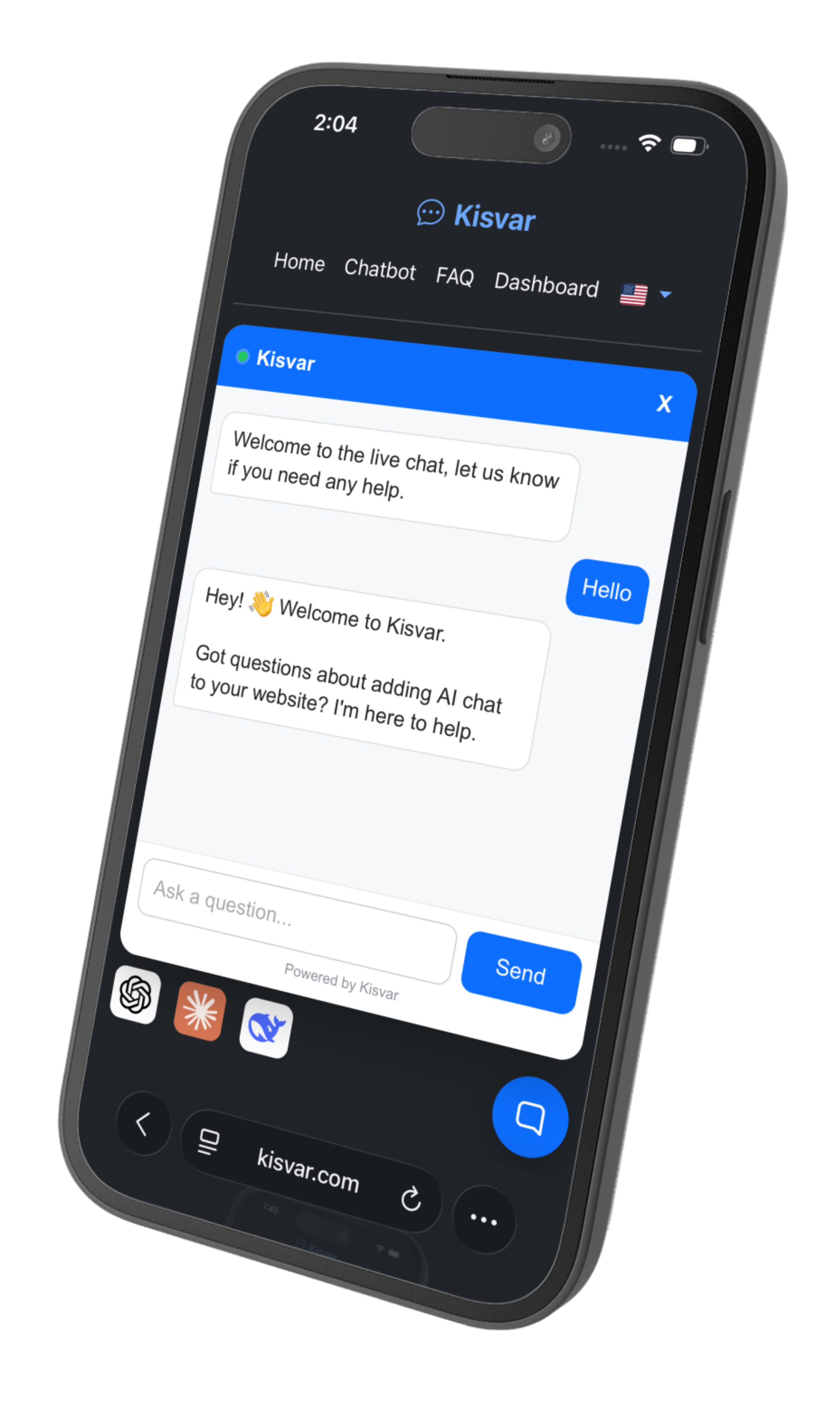
Type your website address and get an instant AI demo based on your site.
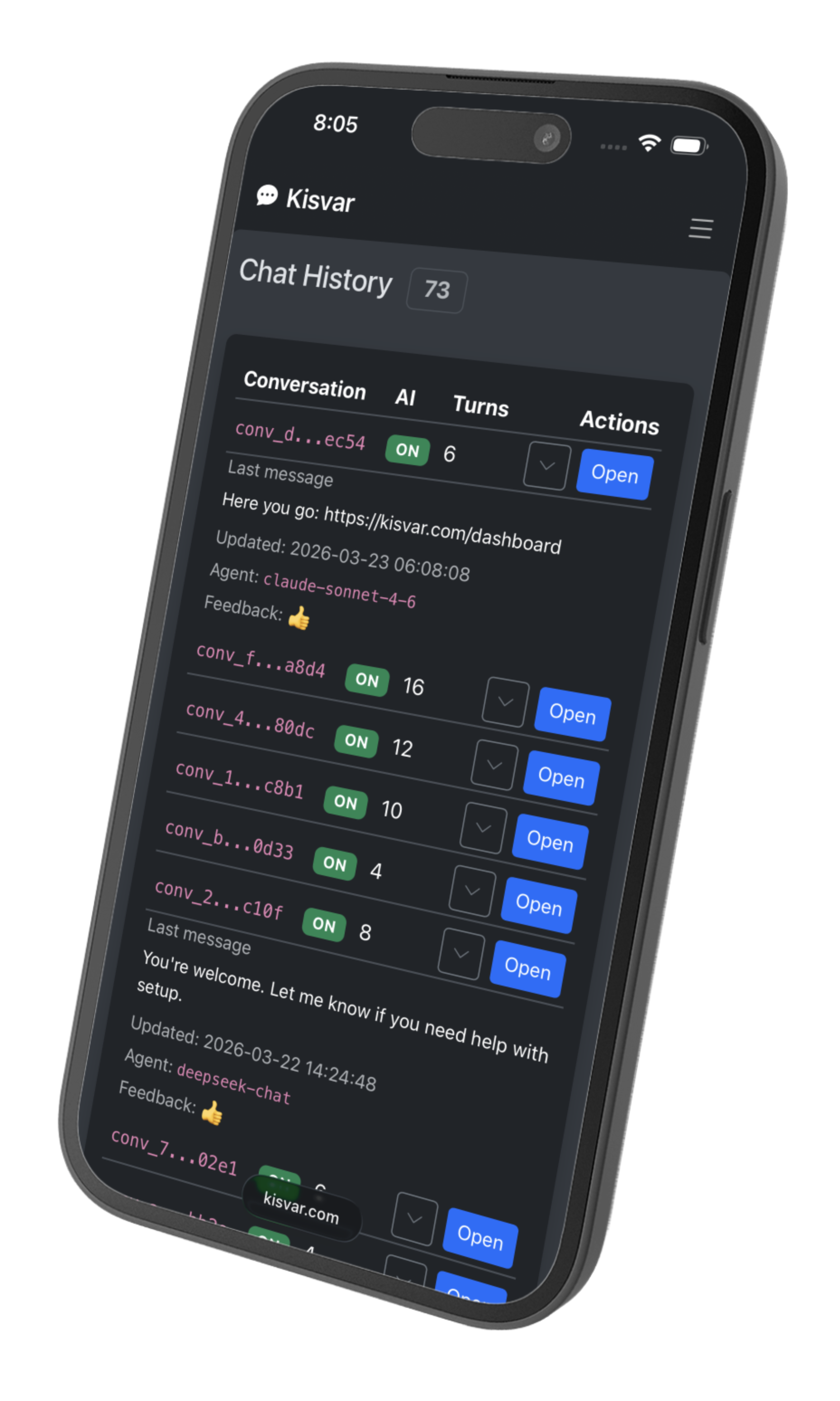
Sign up to access the dashboard where you manage conversations and settings.
Copy one snippet and paste it on your site. Your AI chatbot goes live in seconds.
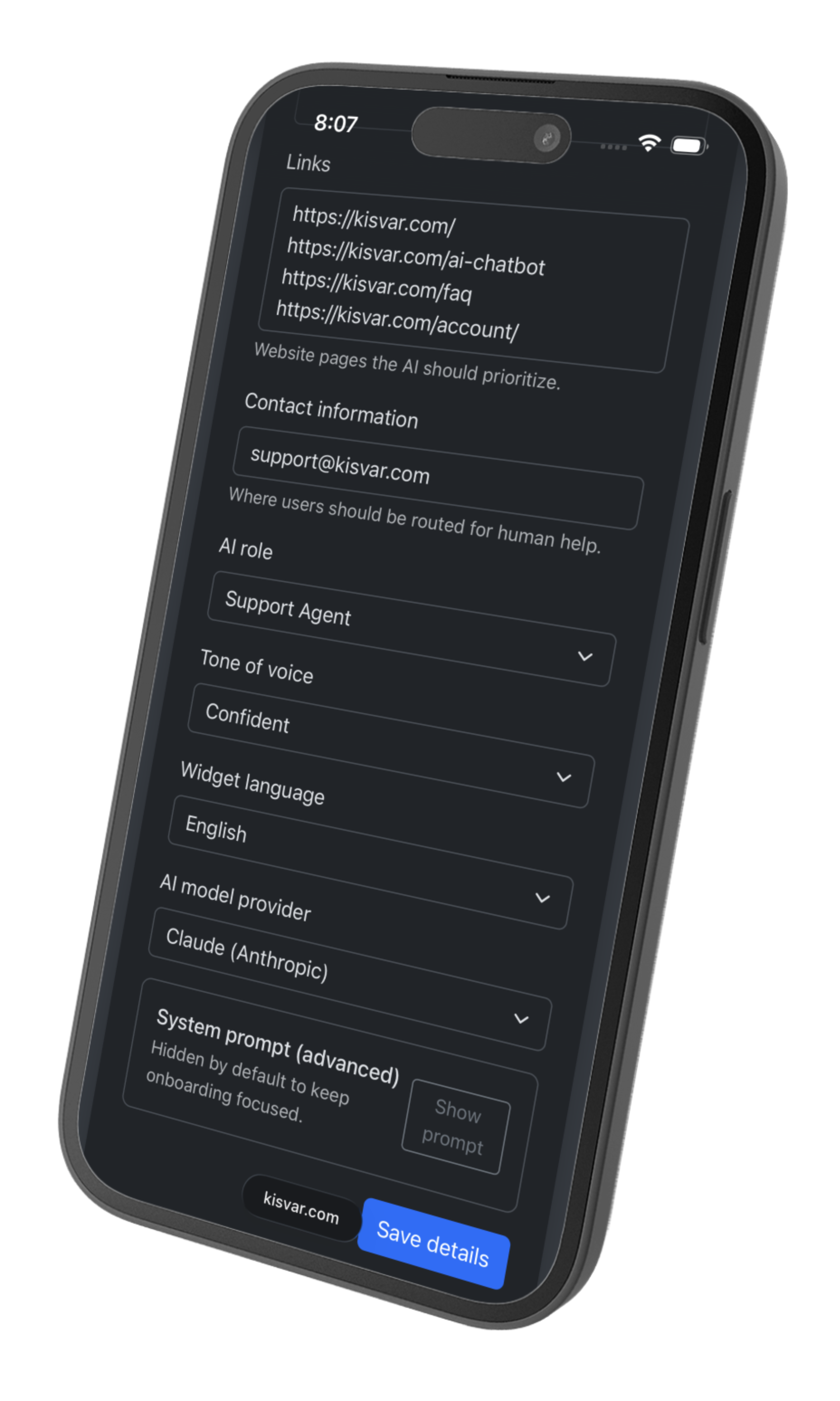
Powered by OpenAI and Anthropic, Kisvar generates accurate, context-aware responses based on your business information.
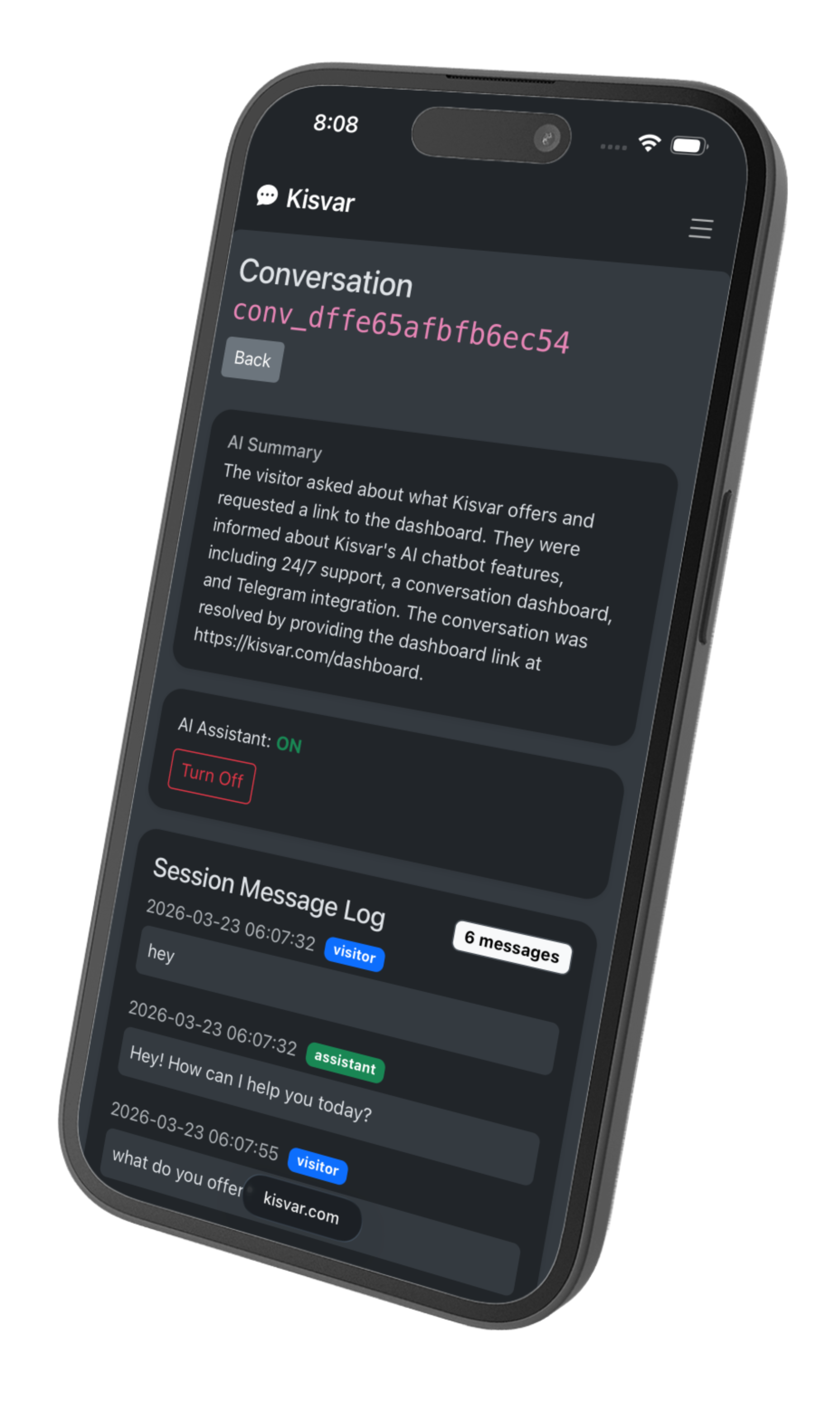
Toggle AI off per conversation and take over manually from the dashboard without losing chat history or context.
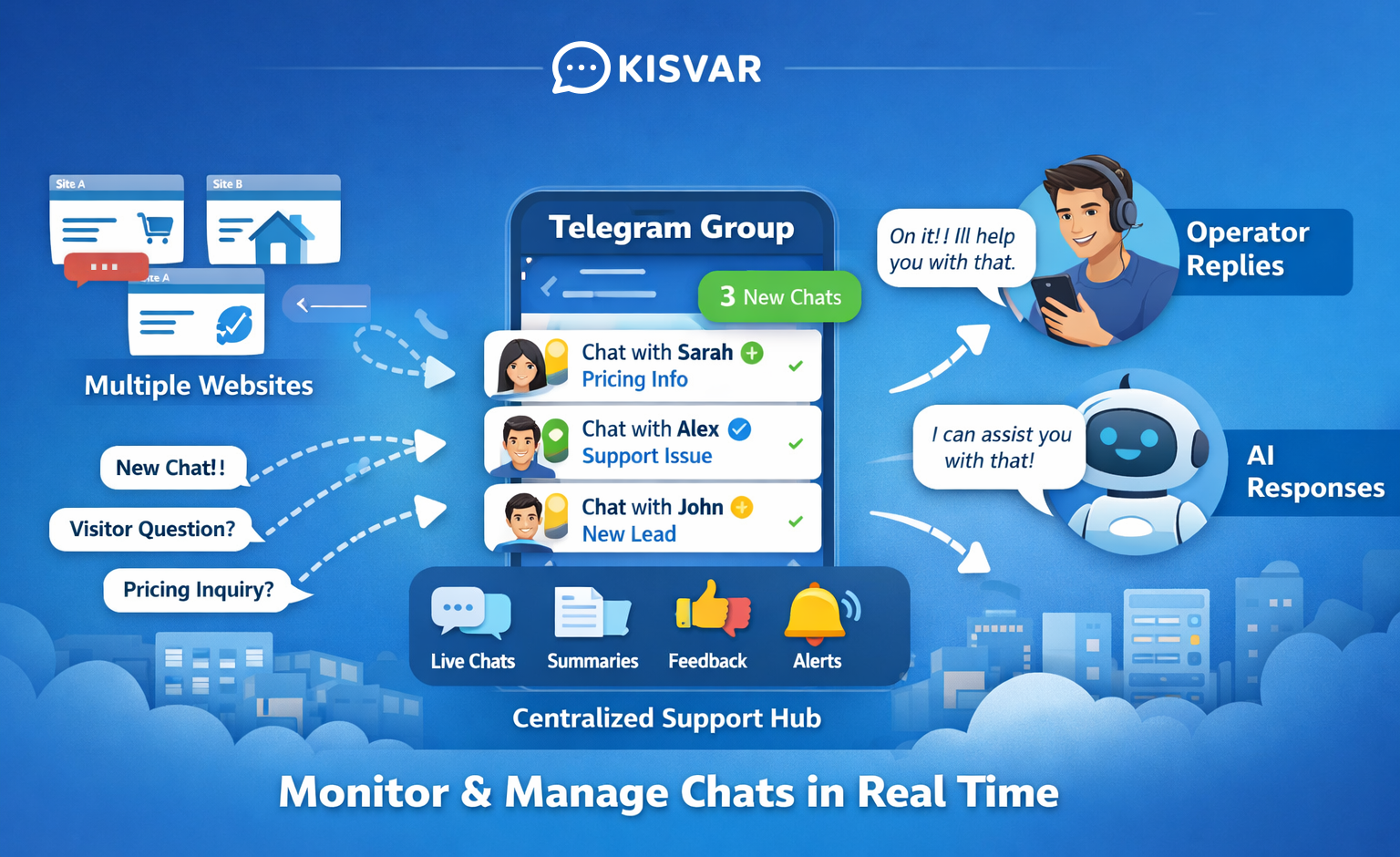
Monitor active sessions, read conversation history, and manage your AI chatbot from one central dashboard.
Kisvar scans your website and builds an AI-optimized system prompt automatically with a modular context system.
Compatible with WordPress, Shopify, custom HTML, and any other platform with JavaScript.
Get notified in Telegram when a visitor starts a chat. Reply directly from Telegram and your message is delivered to the visitor in real time.
Connect Telegram in your dashboard and get notified the moment a visitor starts a chat. Reply directly from Telegram - your message is delivered to the visitor on your website in real time.
Wondering whether to use an AI chatbot or traditional live chat? Here is how they compare:
| AI Chatbot (Kisvar) | Traditional Live Chat | |
|---|---|---|
| Available 24/7 | Yes | Only when staffed |
| Handles repetitive questions | Automatically | Requires agent |
| Human takeover | Yes, per session | Yes |
| Setup time | Minutes | Hours to days |
| Scales with traffic | Automatically | Requires more staff |
★★★★★
"The chatbot answers all our questions and has saved us a lot of time."
★★★★★
"The dashboard is great. We can step in manually anytime."
★★★★★
"Installation took minutes, and the bot started answering visitors right away."
★★★★★
"Kisvar handles our most common questions perfectly."
★★★★★
"We had no support outside office hours. Now Kisvar answers for us 24/7."
★★★★★
"Easy to set up and the AI knows our product. Highly recommended."
An AI chatbot is a conversational assistant that understands customer questions and provides relevant replies automatically. On websites, an AI chatbot can answer frequently asked questions, guide visitors to the right information, and escalate to a human when needed.
Kisvar combines AI responses with human control in one place, so you can review, step in manually, and keep quality high as volume grows.
E-commerce teams use Kisvar to answer product and delivery questions. SaaS teams use it for onboarding guidance and feature navigation. Local businesses use it to handle opening hours, location questions, and service details.
If your website receives repetitive questions, an AI chatbot can improve response speed while keeping human support available for complex conversations.
Kisvar works on any website that supports a script tag. Whether you are running WordPress, Shopify, Webflow, Wix, Squarespace, or a custom-built site, adding an AI chatbot takes less than a minute. Just copy the snippet from your dashboard and paste it to your site.
Create your account and start your chatbot. Free, no credit card.